หลังจากที่ติดตั้ง Windows Server 2019 Datacenter แล้วจะได้เวอร์ชัน Evaluation สำหรับใช้งาน 180 วัน ดังนั้นเราจะต้องทำการ Activate Windows Server 2019 Datacenter License ที่เป็นของแท้ เพื่อให้ Windows สามารถใช้งานได้ต่อเนื่องและถูกต้องตามลิขสิทธิ์
วิธี Activate Windows Server 2019 Datacenter
1.เปิดโปรแกรม CMD และ Run as Administrator
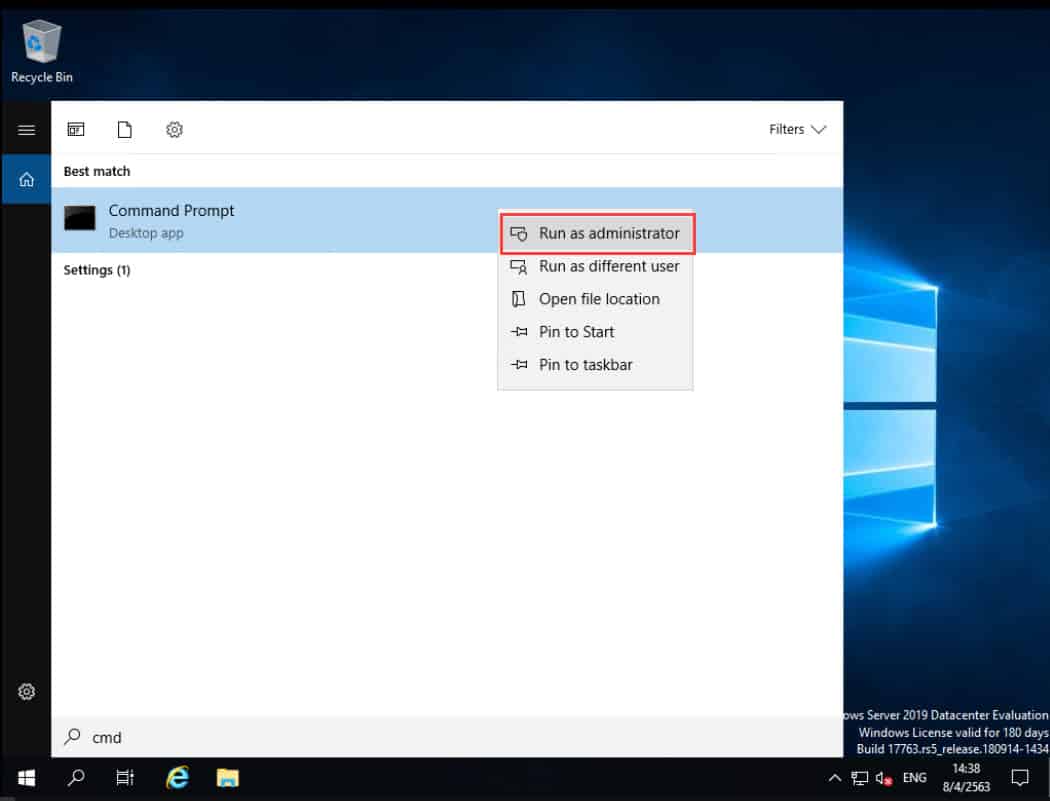
2.จากนั้นพิมพ์คำสั่งเพื่อ Activate (โดยจะต้องมี Product Key) และกด Enter
DISM /Online /Set-Edition:ServerDatacenter /ProductKey:XXXXX-XXXXX-XXXXX-XXXXX-XXXXX /AcceptEula
* xxxxx-xxxxx-xxxxx-xxxxx-xxxxx คือ Product Key ที่ได้จากการที่ซื้อ License มา
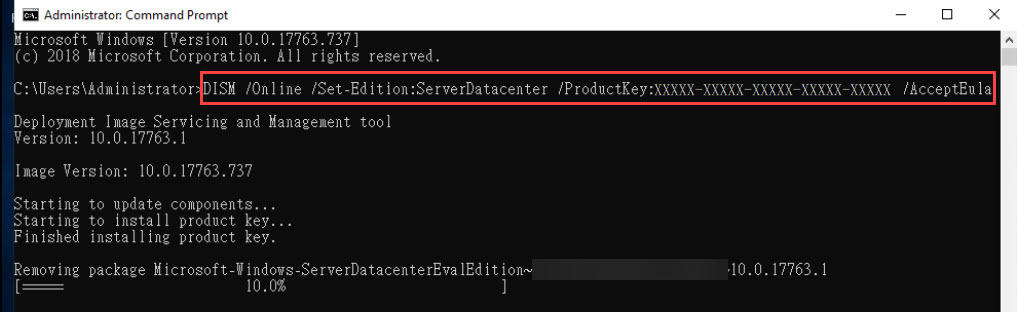
3.จากนั้นจะทำการติดตั้ง Product Key ใหม่ และลบ Evaluation License ออก
4.เมื่อ Activate สำเร็จ จะแสดงข้อความ “Do you want to restart the computer now? (Y/N)” ให้พิมพ์ Y และ Enter เพื่อ restart เครื่อง
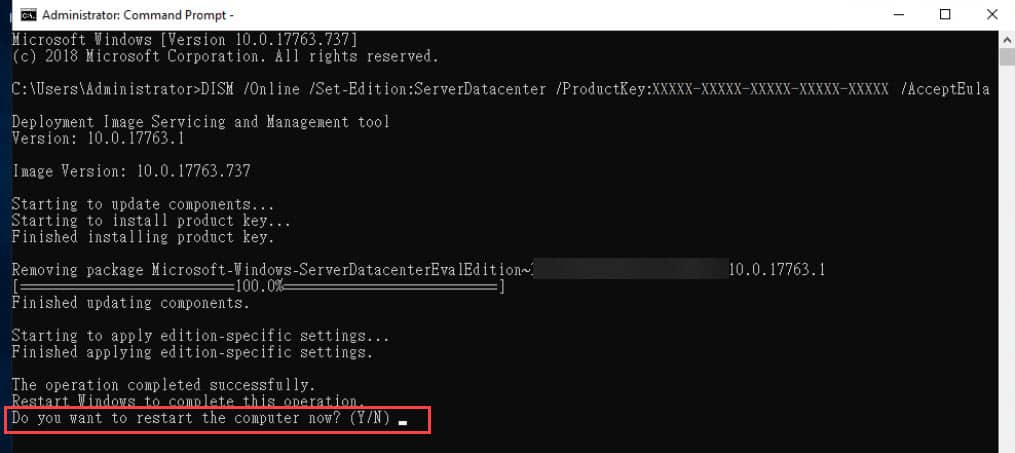
5.จากนั้นรอเครื่องเปิดขึ้นมา Evaluation License ก็จะหายไป